
Wallpaper Visualizer: Try Wallpaper on a Photo of Your Wall
Will the pattern be charming or too busy? Upload a photo of your room and the wallpaper you like, name the wall, and see it papered at real scale with your furniture and light unchanged.
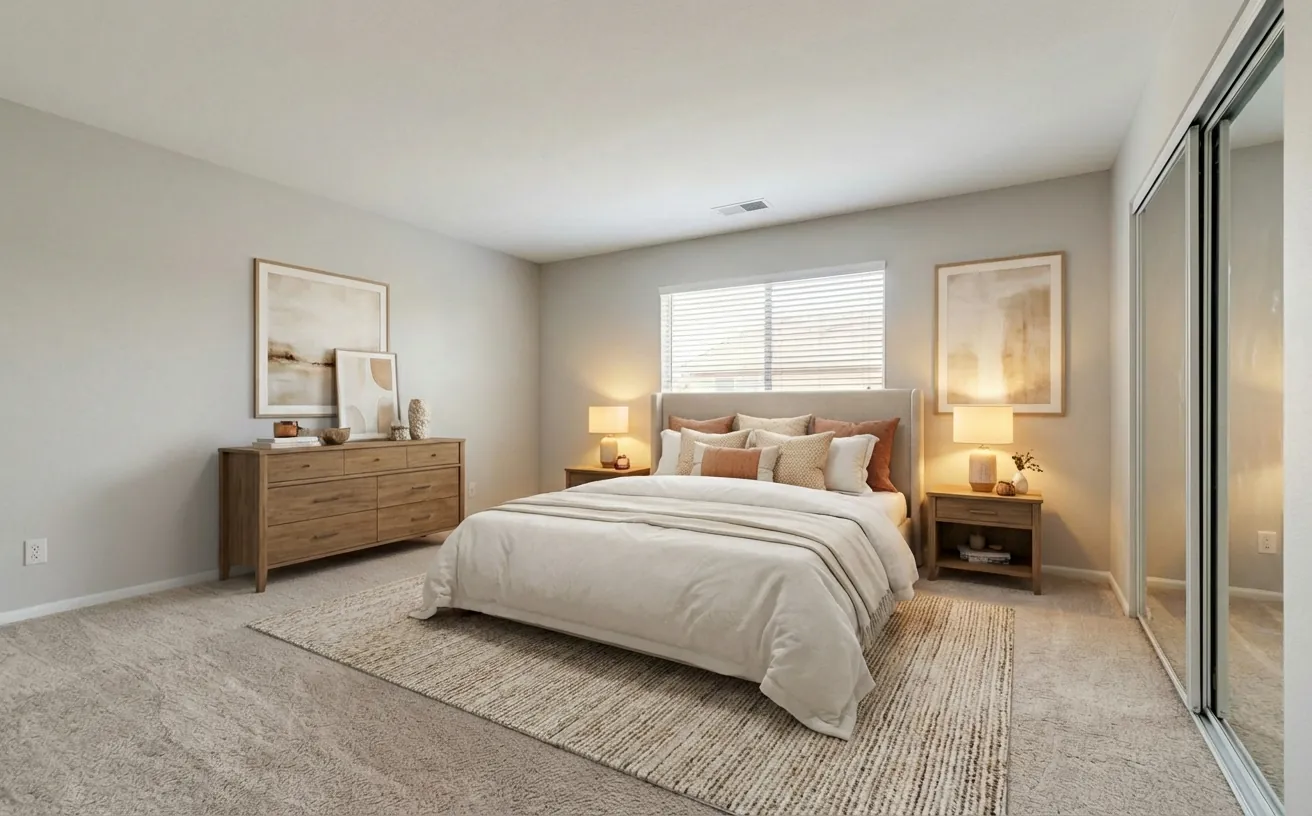
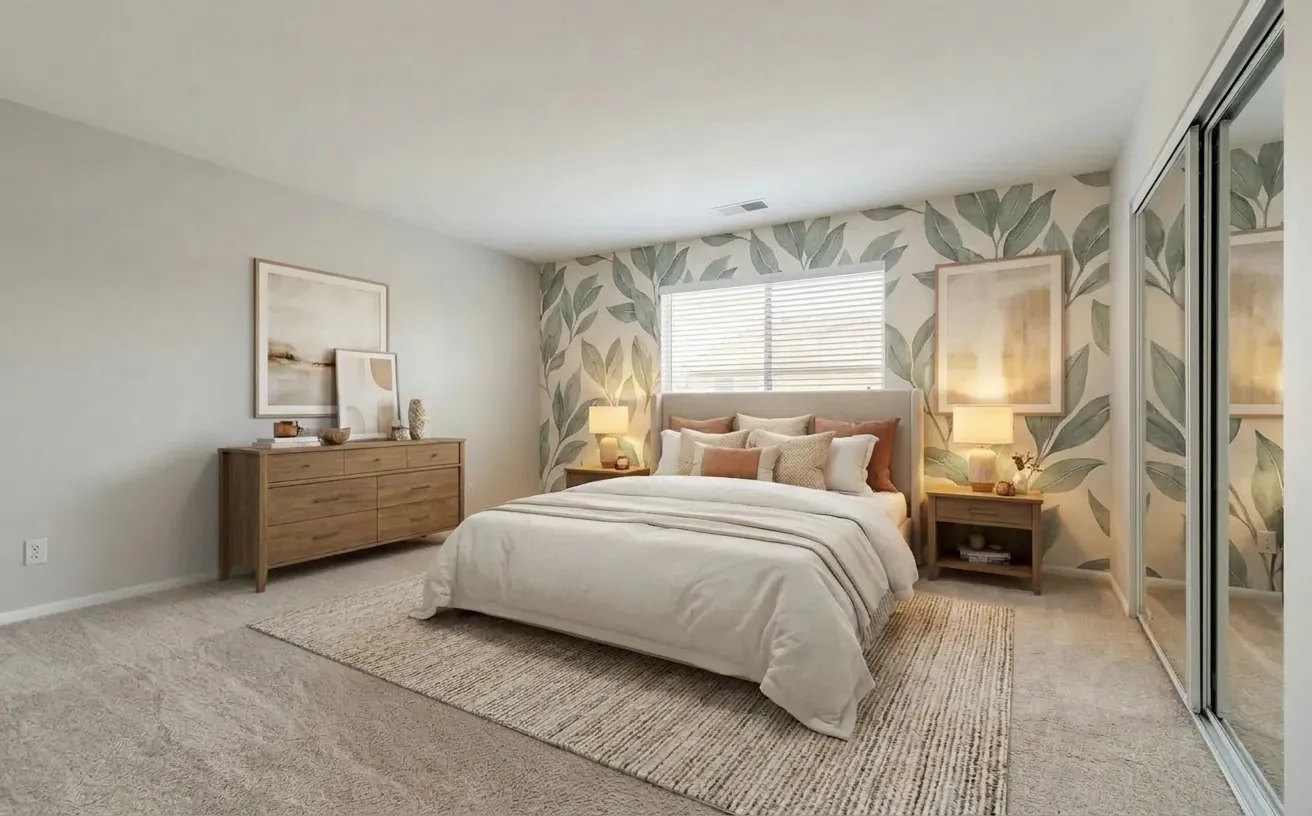 BeforeAfter
How it works
- 1
Upload a photo of your room.
- 2
Add a photo of the wallpaper and say which wall to cover.
- 3
See the pattern on your wall at real scale, with the furniture kept.
Tips for the best results
- Start with one feature wall, usually behind the bed or sofa.
- Use a product photo that shows a full pattern repeat, not a close-up.
- Say "only the wall behind the bed" so the other walls stay painted.
- Count rolls with the wallpaper calculator once you pick a pattern.
Frequently Asked Questions
How can I see wallpaper on my wall before buying?
Upload a photo of your room, add the wallpaper image as a reference and write which wall to cover. The AI follows the wall perspective and keeps your furniture.
Will the pattern be at the right scale?
The AI scales it to the wall, but mention the repeat size if you know it, such as "53 cm pattern repeat", for a closer match.
How many rolls of wallpaper do I need?
It depends on the wall size and the pattern repeat. The wallpaper calculator works it out, including waste.
How much does it cost?
Your first edit is free with no credit card. Unlimited edits are $14.99/month, or $4.99 for a 24-hour Day Pass.


Unlock the Full Power of Decor Copilot
Upload a photo and see your room redesigned in seconds. Start for free today.
No credit card required