
Show Clients Their Paint Colors Before the First Brushstroke
Eliminate guesswork. Close more jobs. No more costly repaints from color regret. Works with any paint brand.
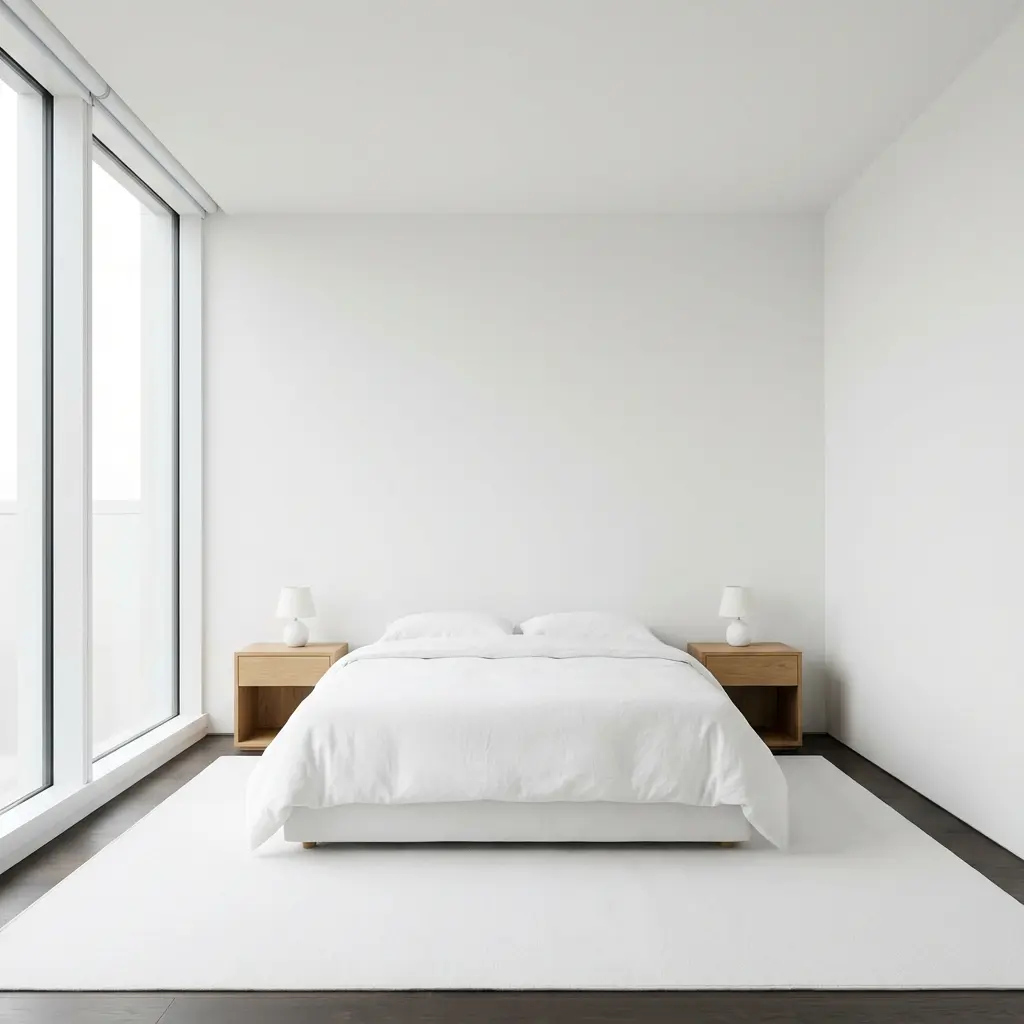
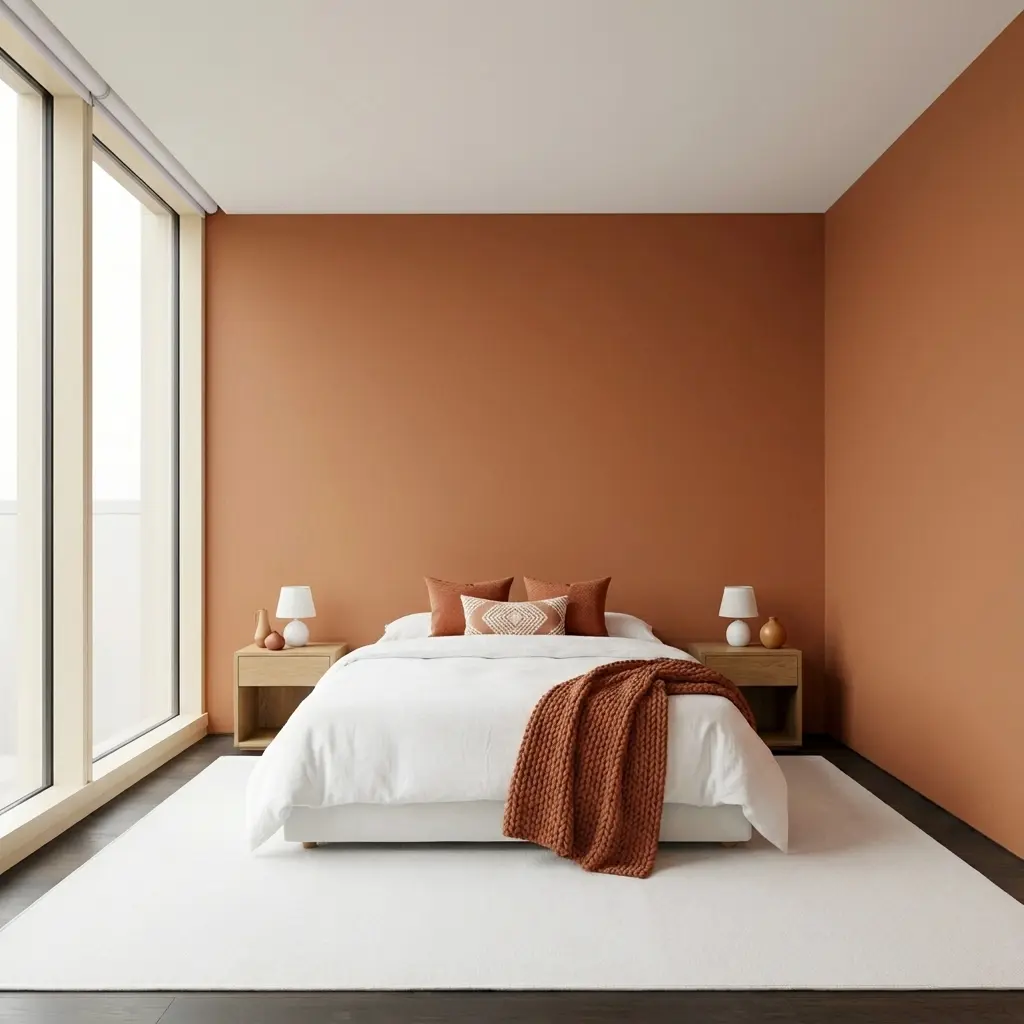 BeforeAfter
- cost per sample pot
- $2-$8
- samples typically tested per project
- 5-10+
- colors to preview digitally
- Unlimited
- works with all paint manufacturers
- Any Brand
The Color Selection Problem
Every painting contractor knows these challenges
Clients Can't Decide on Colors
Endless back-and-forth trying to help clients visualize how colors will look in their space.
Expensive Paint Samples
$200+ spent on sample pots per project, plus time wasted painting multiple test patches.
Costly Repaints
15% of jobs require color corrections because clients change their mind after seeing the result.
Time-Consuming Consultations
Hours spent in color consultations instead of doing billable painting work.
AI Color Visualization
Show clients exactly how colors will look in their space
Visual Confidence
Clients see exactly how colors look before committing - no more guessing.
Instant Previews
Show unlimited color options in minutes, not days of sample painting.
Save on Samples
Eliminate or reduce expensive paint sample purchases.
Avoid Repaints
Clients approve colors confidently, reducing costly do-overs.
Faster Approvals
Quicker color decisions mean projects can start sooner.
Easy Sharing
Send color previews via text or email for quick client feedback.
Perfect for Every Painting Project
From interior accent walls to full exterior repaints
Interior Walls
Show accent walls, whole room colors, and multi-color schemes in any room.
Exterior Painting
Visualize siding, trim, doors, and accent colors on home exteriors.
Color Combinations
Present coordinated color schemes for walls, ceilings, and trim.
Before & After
Create compelling before/after comparisons for proposals and marketing.
How It Works
Show clients paint colors in 3 simple steps
- 1
Upload Room Photo
Take a photo of your client's room with your phone or use existing images.
- 2
Apply Colors
Choose any paint color and let AI render it realistically on the walls.
- 3
Share & Close
Send previews to clients, get approval, and start painting with confidence.
Frequently Asked Questions
How do I show clients paint colors before painting?
Simply upload a photo of your client's room, then apply any paint color using our AI. The result shows realistic color with proper lighting and shadows, helping clients visualize exactly how it will look.
Does it work with any paint brand?
Yes! You can visualize any color from any paint brand. Just select or input the color you want to show, and our AI will render it realistically on the walls.
Can I show multiple color options to clients?
Absolutely! Generate as many color variations as you need. Show clients 5, 10, or even 20 options side by side to help them make confident decisions.
How accurate are the color visualizations?
Our AI renders colors with realistic lighting, shadows, and undertones. While screen displays can vary, the visualization gives clients a very accurate preview of how colors will appear in their specific space.
Can I use this for exterior paint as well?
Yes! Upload photos of home exteriors to show clients how different siding colors, trim colors, and accent colors will look. Great for exterior painting projects.
How do I share color previews with clients?
Download the visualized images and share them via email, text, or any messaging app. You can also create before/after comparisons to help clients see the transformation.
Ready to Close More Painting Jobs?
Try AI color visualization and help clients make confident color decisions.