
AI Relight Photo: Change the Lighting in a Room Photo
Shot the room at the wrong time of day? Upload the photo and switch it to soft morning light, bright daylight, golden hour or a night scene with every lamp glowing, or just warm up or cool down the color tone. Furniture, walls and layout stay exactly as they are.
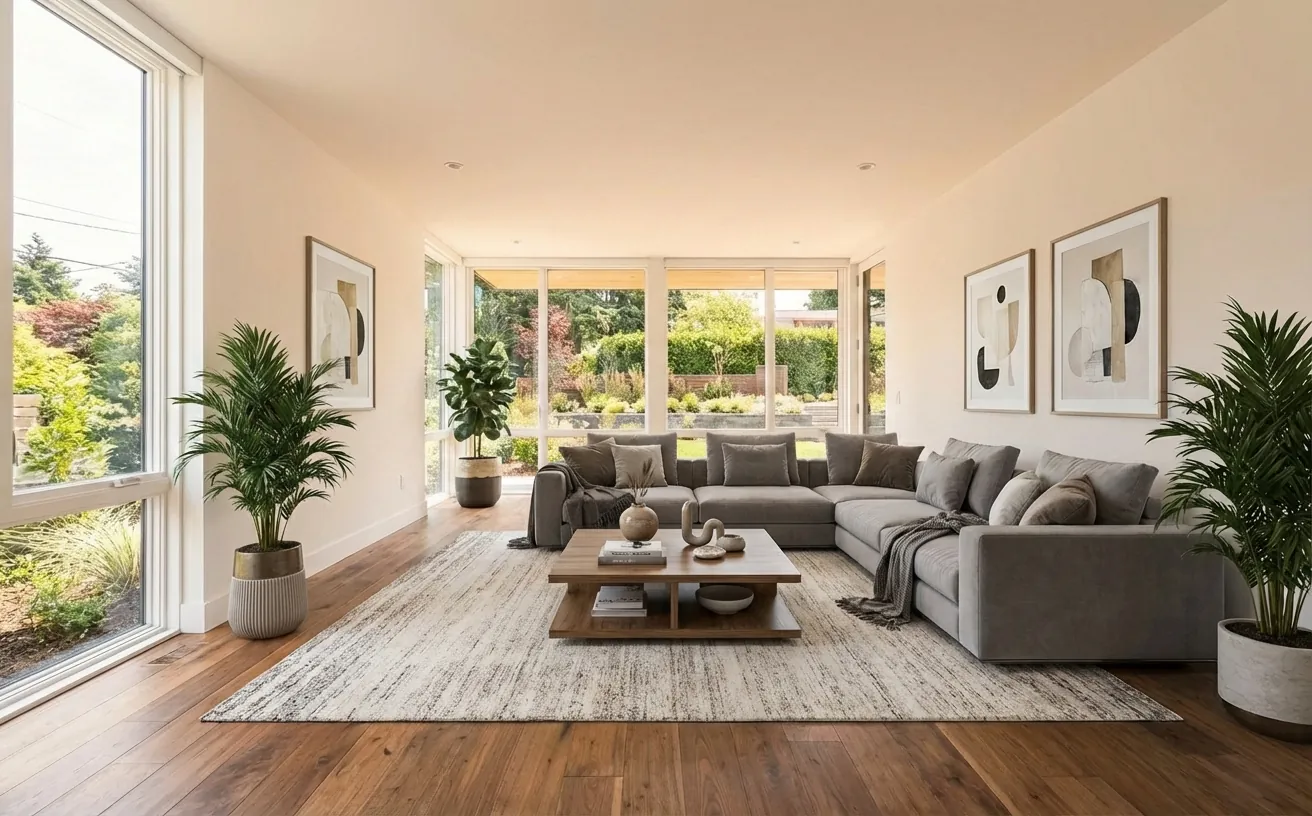
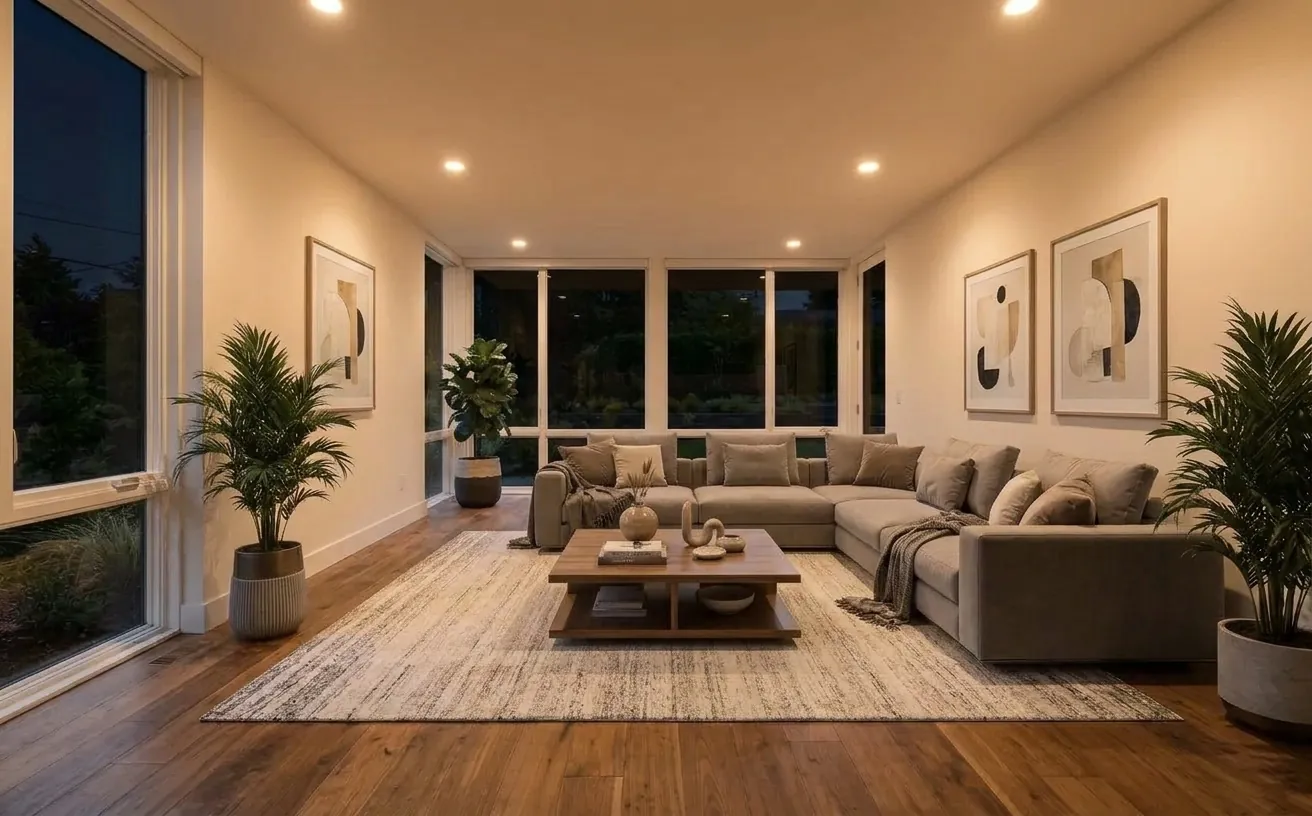 BeforeAfter
How it works
- 1
Upload a photo of your space.
- 2
Tap Photo fixes and choose Night, lamps on.
- 3
Download the edited photo in about 20 seconds.
Tips for the best results
- Use Bright & airy for dark listing photos and Night, lamps on for a cozy hero shot.
- Fix a yellow or blue color cast with Warm tone or Cool tone before anything else.
- Keep every photo in a listing in the same light so the set looks consistent.
- Apply the same lighting to a whole listing with batch photo fixes.
Frequently Asked Questions
Can AI change the lighting in a photo?
Yes. Upload the photo, open Photo fixes and pick Morning light, Bright & airy, Cozy evening, Night, lamps on, Warm tone or Cool tone under Lighting, or Golden hour under Sky. Only the light and color change.
Can I turn a daytime room photo into a night photo?
Yes. Night, lamps on darkens the windows and switches on the lamps and ceiling lights already in the room. It does not add new fixtures.
How do I fix a yellow or blue tint in a room photo?
Choose Cool tone to remove a yellow cast from warm bulbs, or Warm tone to soften a cold blue daylight cast. Brightness and shadows stay the same.
How much does it cost?
Your first edit is free with no credit card. Unlimited edits are $14.99/month, or $4.99 for a 24-hour Day Pass.


Unlock the Full Power of Decor Copilot
Upload a photo and see your room redesigned in seconds. Start for free today.
No credit card required