
AI Room Repurpose: Turn a Bedroom Into an Office, Gym or Playroom
Thinking of turning the spare bedroom into an office, the garage into a home gym or the dining room into a playroom? Upload a photo, say what the room is now and what it should become, and the AI swaps the furniture for the new use while keeping your walls, windows, doors, floor and ceiling.
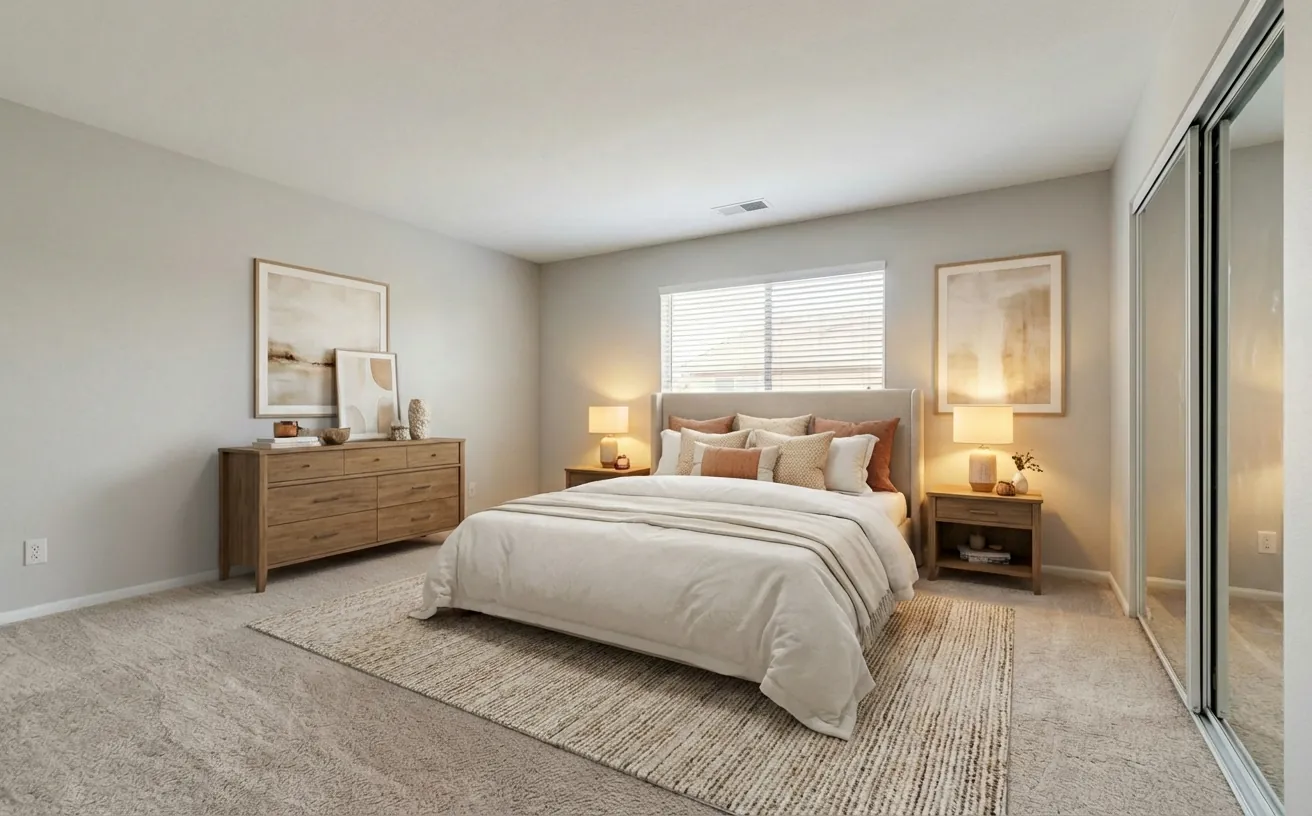
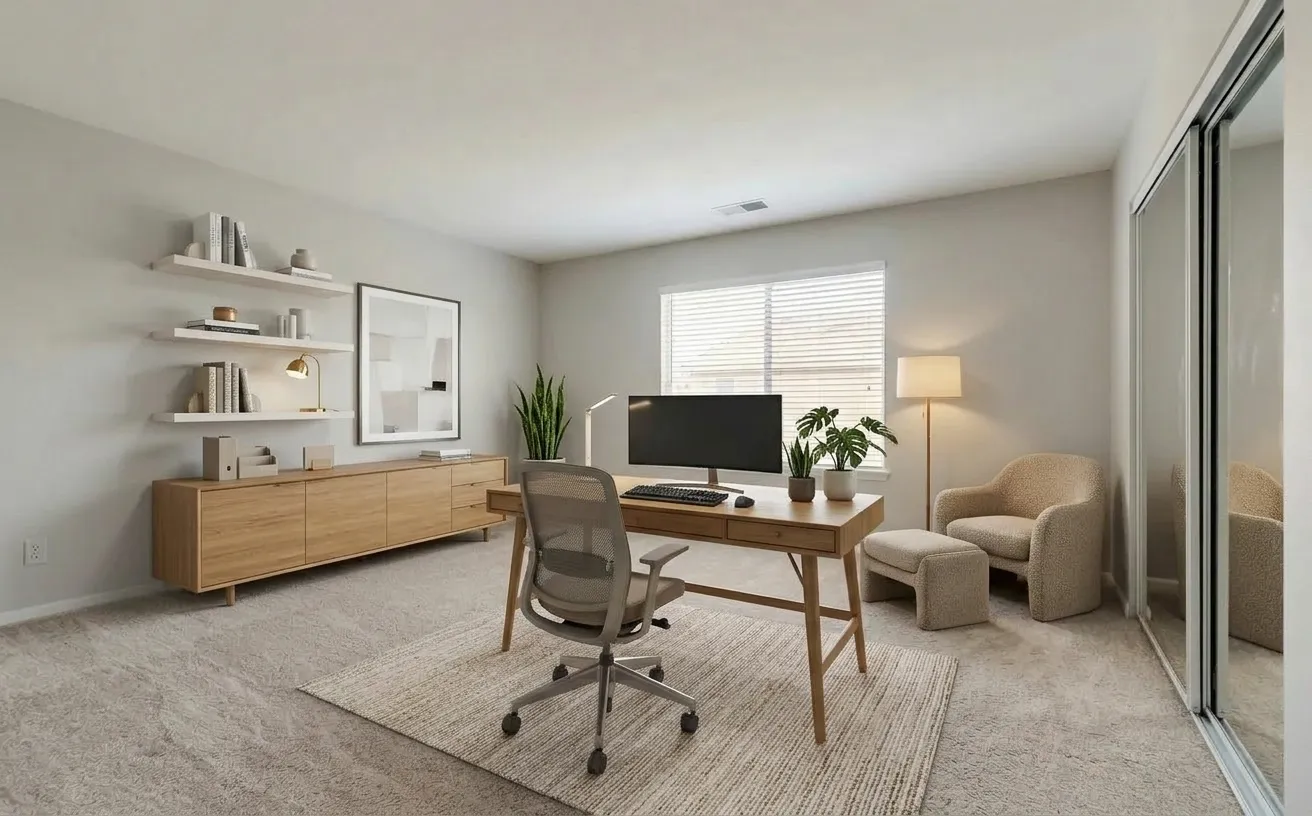 BeforeAfter
How it works
- 1
Upload a photo of the room as it is today.
- 2
Turn on Repurpose this room, pick what it is now and what it should become.
- 3
Get the new room with the furniture swapped and the walls, windows and doors kept.
Tips for the best results
- Shoot from the doorway in daylight so the AI sees the whole room and every window.
- Pick the current room type even if the room is empty, so the AI knows what to replace.
- Add a note for must-haves, such as "two desks facing the window" or "a squat rack and mirror wall".
- Try two or three uses on the same photo before you buy any furniture.
Frequently Asked Questions
Can AI show my bedroom as a home office?
Yes. Upload a photo of the bedroom, turn on Repurpose this room, set it as a bedroom now and a home office as the new use. The AI replaces the bed and nightstands with a desk, chair and storage.
Will it change my walls or windows?
No. Room repurpose keeps the walls, windows, doors, flooring and ceiling where they are and changes only the furniture and fixtures.
Which room conversions can I try?
Any pair of the room types in the Decorator, for example garage to gym, dining room to playroom, basement to gaming room or attic to library.
How much does it cost?
Your first edit is free with no credit card. Unlimited edits are $14.99/month, or $4.99 for a 24-hour Day Pass.


Unlock the Full Power of Decor Copilot
Upload a photo and see your room redesigned in seconds. Start for free today.
No credit card required