
Kitchen Cabinet Color Visualizer From Your Photo
Upload a photo of your kitchen and preview painted cabinets before you sand a single door. Try white, sage, navy or wood, and keep your counters, hardware and layout.
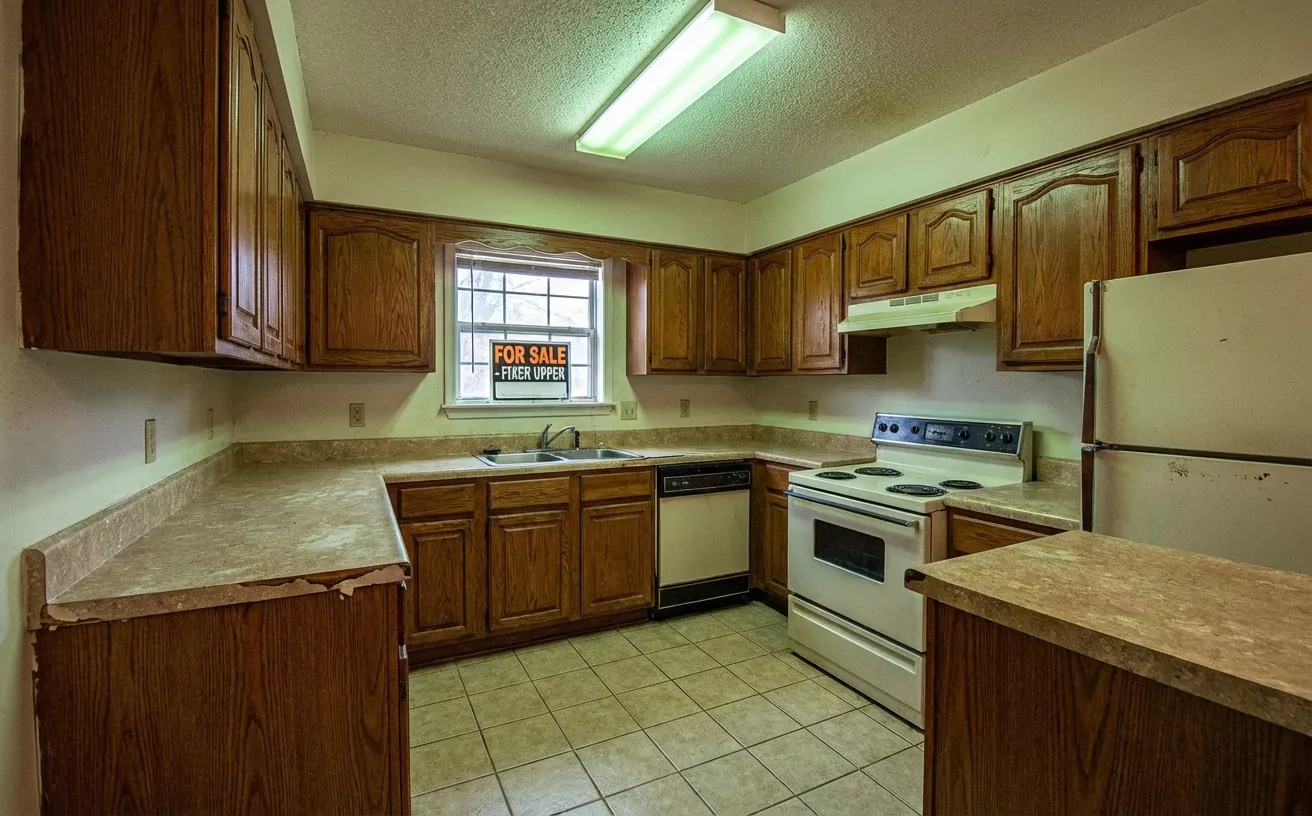
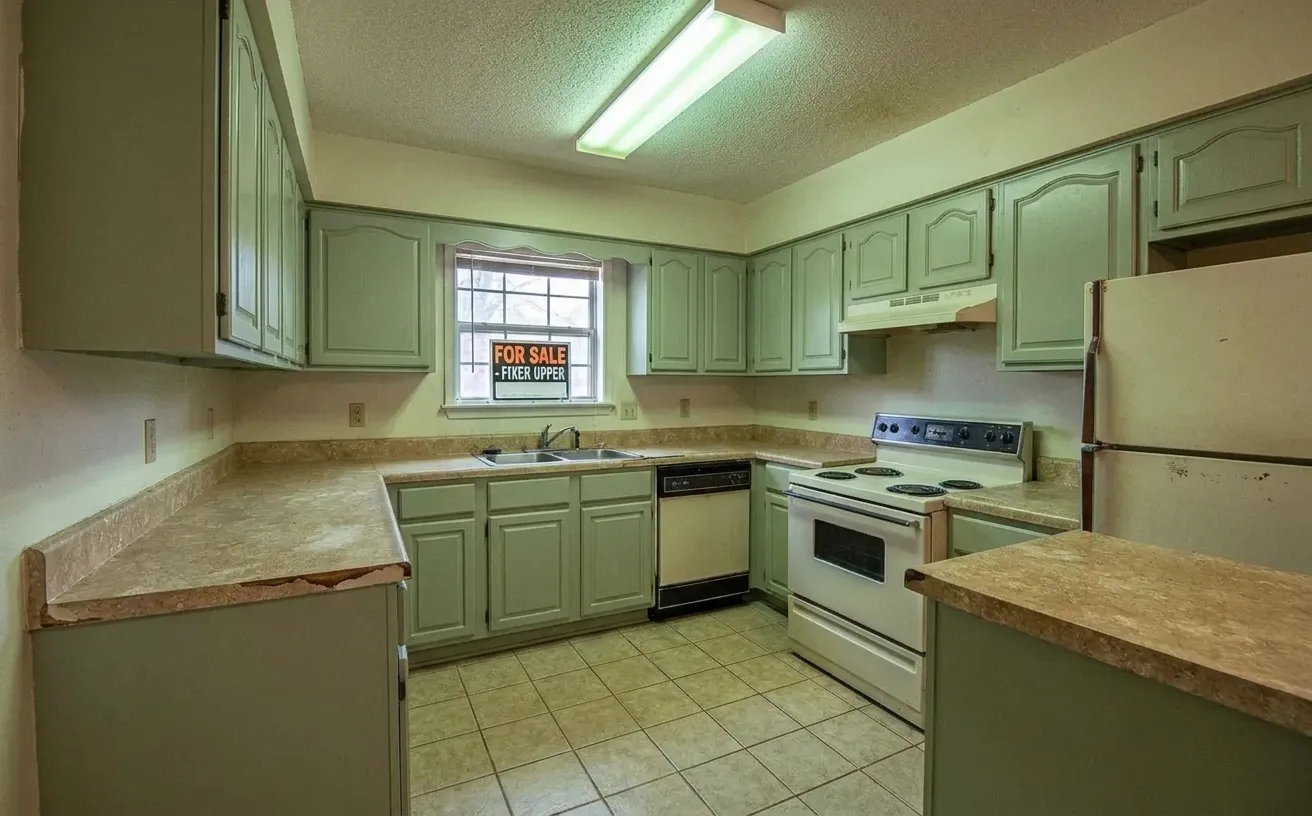 BeforeAfter
How it works
- 1
Upload a photo of your space.
- 2
Tap Photo fixes and choose Sage cabinets.
- 3
Download the edited photo in about 15 seconds.
Tips for the best room redesign
- Close all cabinet doors and clear the counters before you shoot.
- Try the cabinet color together with a new backsplash for the full effect.
- Check the result in daylight and in evening light; greens and grays shift the most.
- Describe your exact color in Magic Edit, such as "deep navy, satin finish".
Frequently Asked Questions
How can I see a new cabinet color on my kitchen?
Upload a kitchen photo and choose White cabinets or Sage cabinets, or brush over the cabinets in Magic Edit and type any color. Only the cabinet doors and boxes change.
What cabinet colors are popular in 2026?
Soft sage and olive greens, warm whites, deep navy and natural or stained oak are the most requested. Two-tone kitchens with a darker island are also common.
Should I paint or reface my cabinets?
Painting is cheapest if the boxes and doors are solid. Refacing replaces doors and veneers and costs more. The cabinet refacing cost calculator compares both.
Is it free to try?
Your first edit is free with no credit card. Unlimited edits are $14.99/month, or $4.99 for a 24-hour Day Pass.


Unlock the Full Power of Decor Copilot
Upload a photo and see your room redesigned in seconds. Start for free today.
No credit card required