How to Visualize a House Before You Buy It (From Listing Photos or a Floor Plan)
Empty rooms and a seller's furniture make it hard to picture a home as yours. Here's how buyers can use listing photos and floor plans to see rooms furnished in their own style, check what fits, and spot deal-breakers early.
Hoceine
8 min read11 views
In this article
- Why is it hard to picture yourself in a listing?
- What can you visualize before buying?
- How do you visualize a house from listing photos?
- How do you visualize a new build from a floor plan?
- What should you look for in listing photos?
- Will your furniture fit? The measurements to check
- What people on Reddit say about visualizing a home
- Try it with DecorCopilot
- Frequently asked questions
Short answer: save the listing photos and the floor plan, then use an AI room design tool to remove the seller's furniture or stage empty rooms in your own style. Check the floor plan dimensions against your real furniture, and use the previews to list questions for your next viewing. It takes an evening and costs little or nothing.
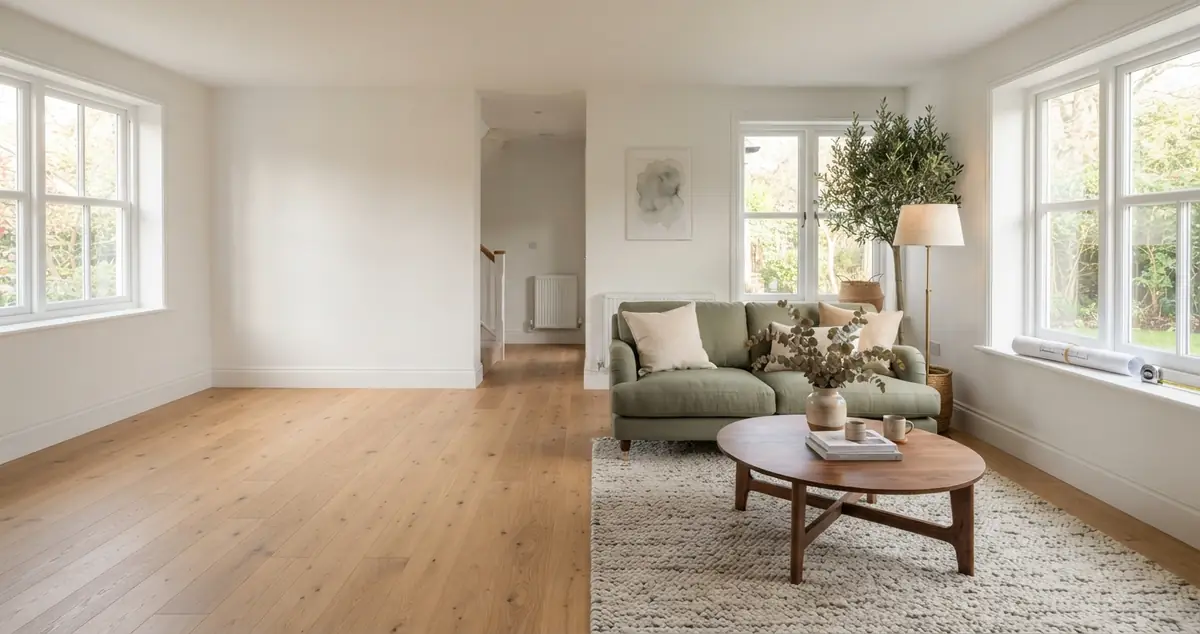
Buying a home means committing to rooms you've usually seen once or twice, often empty, or full of someone else's furniture and paint colors. Sellers stage homes to help buyers imagine living there. You can do the same thing yourself, in your own style, before you make an offer.
Why is it hard to picture yourself in a listing?
Most buyers run into the same problems:
- Empty rooms feel smaller and colder. Without furniture, there's nothing to judge scale by, so rooms read as bare boxes.
- The seller's taste gets in the way. Dark paint, heavy curtains or dated furniture make it hard to see the room underneath.
- New builds have no show home. Many buyers only get a 2D floor plan and a few renders of a different finish level.
- Listing photos use wide-angle lenses. Real estate photographers often shoot at very wide focal lengths, which make rooms look bigger than they feel in person.
What can you visualize before buying?
Here's what you can realistically check from home, and what still needs a visit:
| What you want to know | Can you check it from photos? | Best method |
|---|---|---|
| How a room looks in your style | Yes | Stage or restyle the listing photo with AI |
| How a room looks without the seller's furniture | Yes | Furniture removal on the listing photo |
| Whether your sofa or bed fits | Mostly | Floor plan dimensions plus a scale check |
| How a paint change would look | Yes | Repaint walls on the listing photo |
| How a new floor or kitchen cabinets would look | Yes | Floor or cabinet preview on the photo |
| Natural light through the day | Partly | Window direction on the plan, then visit at different times |
| Ceiling height, noise, smells, condition | No | In-person viewing and inspection |
How do you visualize a house from listing photos?
- Save the full-size photos. Listing sites often show compressed versions. Ask your agent for the original photo files if you can; they're sharper and give better results.
- Pick the rooms that matter most. Usually the living room, kitchen and main bedroom. Start with whichever room you're least sure about.
- Clear the room if it's furnished. Remove the seller's furniture so you see the bare space, walls and floor.
- Stage it in your style. Choose a design style close to your current furniture, or the style you'd move toward. Add instructions such as "sectional sofa facing the fireplace" or "desk under the window" so the layout matches how you'd actually live.
- Try your changes. Repaint the walls, swap the floor, or try new cabinet colors if you're budgeting for updates.
- Write down what you notice. Does the sofa block a doorway? Is there nowhere for a dining table? These become questions for the next viewing.
If the home is a fixer, previewing the updates helps you decide what's worth budgeting for. Our guide to removing furniture from listing photos covers how to clear a room cleanly.
How do you visualize a new build from a floor plan?
New-construction buyers often have nothing but a 2D plan. You can still get a good sense of the space:
- Get the plan with dimensions. Ask the builder for a dimensioned plan if the brochure version only shows room names.
- Turn the plan into a 3D view. A floor-plan-to-room tool can render the layout as a furnished, photorealistic space so you can see proportions.
- Lay out your own furniture. Use the plan to place your sofa, bed and table at their real sizes.
- Mark windows and doors. These decide where furniture can go far more than total square footage does.
See how floor plan to real works for turning a 2D plan into a realistic room view.
What should you look for in listing photos?
Before you spend time staging a photo, check what it's hiding. A few things to watch for:
- Missing rooms. If a listing has ten photos of the living room and none of the second bathroom, ask why.
- Very wide angles. Curved door frames or stretched furniture at the edges mean an ultra-wide lens. The room is smaller than it looks.
- Already staged photos. Many listings are virtually staged. Look for a note in the description, and ask for the unstaged version so you start from the real room.
- Bright, blown-out windows. Heavy editing can hide the view. Check what's outside on your visit.
- Close crops on floors and ceilings. These can hide worn flooring, stains or low ceilings.
Use the cleanest, least-edited photo of each room as your starting point. A preview built on an already-staged image only shows you someone else's guess.
Will your furniture fit? The measurements to check
Square footage on a listing tells you little about furniture fit. These clearances matter more:
| Clearance | Minimum | Comfortable |
|---|---|---|
| Main walkway through a room | 30 in | 36 in |
| Sofa to coffee table | 14 in | 16 to 18 in |
| Dining chair pulled out to wall | 30 in | 36 in |
| Side of a bed to the wall | 24 in | 30 in or more |
| Foot of the bed to a dresser | 30 in | 36 in |
| Kitchen work aisle | 36 in | 42 in (48 in for two cooks) |
Measure your biggest pieces now: sofa, bed, dining table and any large storage. Then check them against the room dimensions on the plan. If you're worried about delivery, see will my couch fit through the door for doorway, hallway and stair checks.
What people on Reddit say about visualizing a home
On r/RealEstate, a condo buyer asked whether any platform could virtually stage a unit room by room, because it was hard to tell how the empty rooms would look with furniture. On r/HomeDecorating, a new homeowner had the 2D floor plans plus the listing photos and wanted to "experiment with different styles using AI" before moving in.
The new-build version comes up often on r/InteriorDesign: buyers whose model has no show home, asking what app can turn their floor plan into something they can picture. A thread on r/interiordecorating asking for the best app to design a just-bought home drew a mix of answers, from furniture planners to AI room tools.
The practical tips in those threads line up: measure your existing furniture before the final walkthrough, check where outlets and vents are, visit at different times of day, and remember that listing photos are taken to make rooms look as large and bright as possible.
Try it with DecorCopilot
Upload a listing photo to the Decorator and pick a style from 36 options. If the room is empty, it stages it. If it's full of the seller's things, start with virtual furniture removal to clear it, then stage it your way. Add custom instructions to place the pieces you own, and use reference images if you have a specific sofa or table in mind.
Have a floor plan instead? Try the floor planner to work out the layout.
Your first design is free and doesn't need a card. If you're comparing several homes in one weekend, the Day Pass is $4.99 for 24 hours of designs.
Frequently asked questions
Can I virtually stage a house I'm thinking of buying?
Yes. Save the listing photos and upload them to an AI staging tool. You can stage empty rooms, remove the seller's furniture, and try your own style. It's for your own planning, so disclosure rules for sellers don't apply.
How do I see an empty house with furniture?
Upload a photo of the empty room to an AI room designer, choose a style and room type, and it adds furniture that fits the space. Add instructions to match the layout you'd actually use.
Are listing photos accurate for room size?
Not always. Real estate photographers use wide-angle lenses that make rooms look larger. Use the floor plan dimensions to judge size, and treat photos as a guide to style and light.
How can I visualize a new build with no show home?
Get a dimensioned floor plan from the builder, then use a floor-plan-to-room tool to see the layout as a realistic space. Place your own furniture at real sizes to check fit.
What should I measure before buying a house?
Your largest furniture (sofa, bed, dining table), plus doorways and stair turns for delivery. In the house, check wall lengths between windows and doors, ceiling height, and the width of hallways.