What Can You Edit in Real Estate Photos? Sky, Lawn, Twilight and Declutter Rules
Sky swaps, green grass, virtual twilight, decluttering, removing a power line: which listing photo edits are fine, which need a label, and which can get you fined. A clear table plus the one rule MLS committees keep repeating.
Hoceine
8 min read13 views
In this article
- What is the main rule for editing listing photos?
- Which real estate photo edits are allowed?
- Is sky replacement allowed on MLS?
- Is virtual twilight misleading?
- Can I remove things from listing photos?
- How should I label edited photos?
- What people on Reddit say
- A quick pre-upload checklist
- How to make these edits with DecorCopilot
- Frequently asked questions
Short answer: you can fix how a photo looks, and you can change things a buyer won't buy with the house, but you can't change the property itself. Sky replacement, brightness, straightening and removing your seller's clutter are generally accepted. Virtual staging and twilight need a label. Removing power lines, cracks, neighbors or permanent features misrepresents the home.
Rules differ by MLS and by country, so your local MLS rules always win. But the logic behind almost all of them is the same, and once you understand it, most edit decisions answer themselves.
What is the main rule for editing listing photos?
The rule people quote most often is simple: you can change what's movable, never what's permanent.
Movable means anything that won't convey with the sale and that a buyer can't rely on: furniture, the seller's belongings, potted plants, cars in the driveway, the weather. Permanent means the real property: the structure, built-in fixtures, flooring, walls, the roof, in-ground landscaping, the view and what's next door.
In the US, this comes from the NAR Code of Ethics Article 12, which requires agents to present a true picture in their advertising, and from MLS rules that often add specific bans on altering the property. If a buyer would arrive at a showing and say "that's not what the photo showed," the edit went too far.
Which real estate photo edits are allowed?
Use this as a starting point, then check your MLS.
| Edit | Generally | Why |
|---|---|---|
| Exposure, brightness, white balance | Allowed | Corrects the camera, not the house |
| Straighten verticals, lens correction | Allowed | Fixes the photo's geometry |
| Window pulls (show the view through windows) | Allowed if the view is real | Shows what's actually there |
| Sky replacement (gray to blue) | Allowed; label if your MLS requires | The sky isn't the property |
| Remove seller's clutter, cords, toiletries, magnets | Allowed | Personal items don't convey |
| Remove cars, trash bins, hoses | Allowed | Temporary and movable |
| Virtual staging (add furniture) | Allowed with a label | Furniture doesn't convey |
| Virtual twilight (day to dusk) | Allowed with a label in many MLSs | Same house, different time of day |
| Empty a furnished room | Allowed with a label | Shows the space without belongings |
| Season change (winter to summer) | Gray area; label it | Can hide real conditions |
| Green a brown lawn | Gray area; label, avoid if the lawn is dead | Buyers may arrive to a brown lawn |
| Add potted plants or a fire in the fireplace | Usually allowed with a label | Movable or temporary |
| Fill or clean a pool | Gray area; label | Only if it's a temporary condition |
| Repaint walls, cabinets or exterior | Only as a labeled "concept" image | It's not the current condition |
| Replace flooring or countertops | Only as a labeled "concept" image | Same reason |
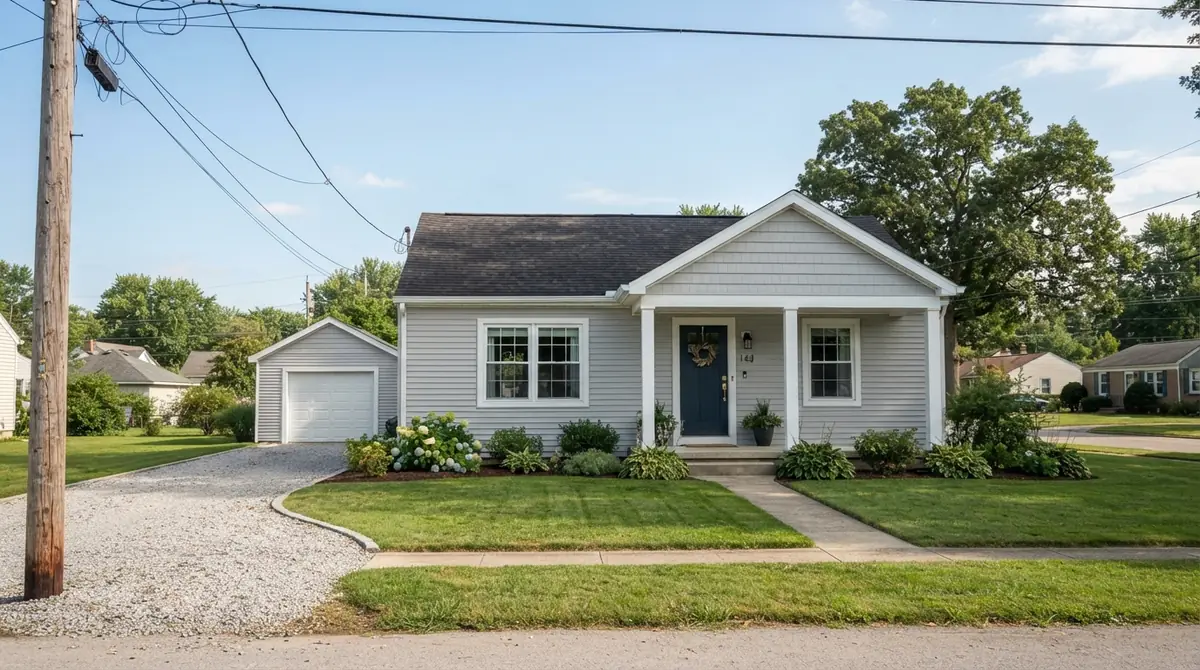
| Remove power lines, poles, cell towers | Not allowed | Permanent and relevant to value |
| Remove or change neighboring buildings | Not allowed | Misrepresents the location |
| Hide cracks, water stains, damage | Not allowed | Concealing defects |
| Add in-ground trees, hedges or a patio | Not allowed | Changes the real property |
| Change the view (add water, remove a highway) | Not allowed | Misrepresents the location |
The "concept" rows matter. Showing a buyer what a dated kitchen could look like with white cabinets is useful marketing, as long as the image is clearly labeled as a renovation idea and sits next to the real photo, not instead of it.
Is sky replacement allowed on MLS?
In most MLSs, yes. The sky isn't part of the property, and replacing a gray or blown-out sky is one of the oldest edits in real estate photography. Some MLSs and brokerages want a "photos enhanced" note when any digital editing has been applied. Where reflections in windows or a pool show the old sky, fix those too, or the image looks odd. More detail in our AI sky replacement guide.
Is virtual twilight misleading?
Not if it's labeled and the house is unchanged. A twilight edit should keep the same house, landscaping and neighbors, and only change the sky and turn on the lights. Problems start when the edit changes the facade, adds landscape lighting that doesn't exist, or alters neighboring houses. We cover the method and the limits in virtual twilight: day to dusk.
Can I remove things from listing photos?
You can remove the seller's things. You can't remove the property's problems.
Fine to remove: clutter, family photos, toiletries, fridge magnets, pet bowls, cords, cars, bins, a ladder left in the yard.
Not fine to remove: power lines, a utility box, a crack in the driveway, a stain on the ceiling, an outlet, a radiator, a neighbor's wall that's right against the property line.
AI furniture removal has an extra risk: the tool can't see behind the sofa, so it guesses what the wall and floor look like. Check that it didn't invent an outlet, cover a vent or change the floor. Our guide to removing furniture from listing photos has a step-by-step check.
How should I label edited photos?
- Put the label on the photo itself, not only in the remarks. Photos get shared without the listing text.
- Use plain words: "Virtually staged," "Virtually enhanced," "Renovation concept."
- When you stage or empty a room, include the unedited original photo in the listing too.
- Keep the original files. If anyone questions an edit, you can show what was changed.
The full set of labeling practices is in our virtual staging disclosure rules post.
What people on Reddit say
A r/realtors thread titled "Virtual Staging or Virtual Lying?" drew around 160 comments from agents trying to find the line. Is adding plants too far? A tree? Covering a hole in the wall? The most useful answer came from someone who said they sat on an MLS committee: you can't change the real property part of the photo, so potted plants are fine but in-ground plants are not. Another agent described an instant, unappealable fine of about $2,500 from their MLS for an altered photo.
Over on r/RealEstatePhotography, photographers are split on taste rather than rules. Some think window pulls, sky replacements and fake twilights all look overdone, and say buyers notice. Others charge extra for sky replacement as a standard add-on. Both sides agree that a heavy edit that looks fake hurts the listing more than a gray sky.
A quick pre-upload checklist
- Every structural element is unchanged: walls, windows, doors, ceiling height
- Flooring, counters and fixtures are the real ones (or the photo is labeled as a concept)
- No defects were hidden
- Power lines, poles and neighbors are still there
- Staged, emptied and twilight photos carry a visible label
- Originals of edited rooms are included in the listing
- You checked edges at 100% zoom for smudges, warped lines or invented details
How to make these edits with DecorCopilot
DecorCopilot's Photo fixes cover the edits in the "allowed" rows: Blue sky, Golden hour, Day to dusk, Bright & airy, Straighten, Expand view, Declutter and Empty room, plus Green lawn and Summer refresh for the gray-area cases where you'll add a label. Each fix is one tap on a result in the AI room designer, and it's designed to keep the house itself the same. The concept-style fixes, like white cabinets, wood floors or exterior paint, are for labeled renovation ideas, not for the main listing photo. You can also upscale a finished photo 4x.
For a full shoot, batch photo fixes applies a fix to up to 20 listing photos at once. Your first design is free, no card needed. The real estate page has the rest of the listing workflow.
Frequently asked questions
Is it legal to edit real estate photos?
Yes. Editing to correct exposure, color and perspective is standard. What's not allowed is editing that misrepresents the property, like hiding defects or removing permanent features. Your MLS and local advertising rules decide the details.
Can I remove power lines from a listing photo?
Generally no. Power lines and poles are permanent and can affect value, so removing them misrepresents the property. Many MLSs name them specifically.
Do I have to disclose sky replacement?
It depends on your MLS. Some require a general "enhanced" note for any digital editing; many don't for sky alone. When unsure, add the note. It costs nothing.
Can I make the grass green in listing photos?
It's a gray area. If the lawn is brown from a short dry spell and will recover, a labeled edit is usually accepted. If the lawn is dead or patchy, a buyer will see that at the showing, so skip it or disclose it clearly.
What's the difference between virtual staging and photo editing?
Photo editing corrects the image. Virtual staging adds furniture and decor that aren't there. Both are allowed, but staging always needs a label because buyers won't get that furniture.